
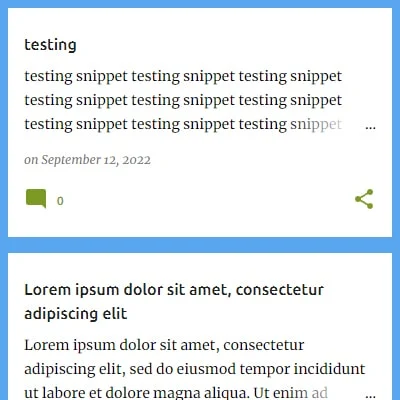
In Emporio theme's index page each articles's featured images are shown as their thumbnails and that is the beautiful thing about this theme but if somehow you feel you don't need the thumbnails and want to know how to remove them all. Here's the solution.
In this article shows the instruction of how to remove post thumbnails from Emporio theme.
In Blogger template Editor window search for <b:includable id='post' var='post'>. If you find it more than one then chose the one in blog1 section. You are seeing codes something like bellow
<b:includable id='post' var='post'>
  <b:with value='"post-thumb-" + data:post.id' var='thumbClassName'>
    <div expr:class='"post-wrapper not-hero post-" + data:post.id'>
      <b:include name='postWrapperClasses'/>

      <!-- Standard feed thumbs always added, as they're needed for mobile view. -->
      <b:include cond='data:post.featuredImage and data:view.isMultipleItems' name='standardPostImageStyle'/>
      <b:include name='feedPostImage'/>

      <div class='slide'>
        <b:include data='post' name='super.post'/>
      </div>
    </div>
  </b:with>
</b:includable>
now remove the following lines shown bellow
      <b:include name='postWrapperClasses'/>

      <!-- Standard feed thumbs always added, as they're needed for mobile view. -->
      <b:include cond='data:post.featuredImage and data:view.isMultipleItems' name='standardPostImageStyle'/>
      <b:include name='feedPostImage'/>
so after erased the lines the codes which are left would be looking like bellow
<b:includable id='post' var='post'>
  <b:with value='"post-thumb-" + data:post.id' var='thumbClassName'>
    <div expr:class='"post-wrapper not-hero post-" + data:post.id'>

      <div class='slide'>
        <b:include data='post' name='super.post'/>
      </div>
    </div>
  </b:with>
</b:includable>
Save the template, and that's it ! Your beautiful emporio theme with no thumbnails is ready to be displayed.

Comments